Reconstruct change. Keep the history.
The can changes shape across four visits. ReScene retains a reconstruction of each observed state.
3D GAUSSIAN SPLATTING · SCENE CHRONOLOGY
Reconstruct a changing scene.
Return to any observed state.
The can changes shape across four visits. ReScene retains a reconstruction of each observed state.
01 · LOCALISE CHANGE
Compare the preceding reconstruction with the new observation. ReScene attributes change and stability evidence to the Gaussians that contribute to each pixel.
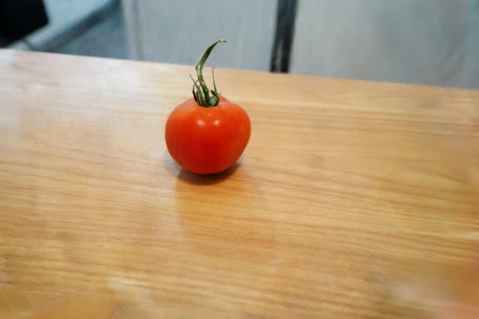
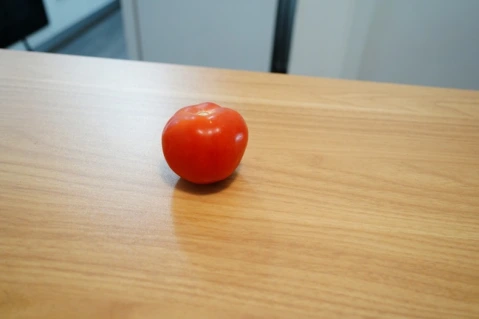
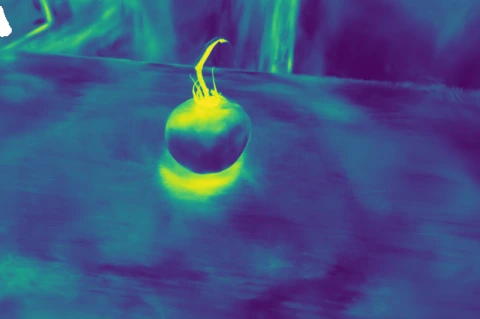
This example shows the first update of Tomato from a selected training viewpoint. Purple indicates a low change weight and yellow a high change weight. Reconstruction errors and appearance differences can also produce a response, so the weights are evidence of image disagreement rather than labels of physical change.
02 · RETRIEVE A VISIT
All updates are complete. Select a visit to see its stored reconstruction beside the held-out observation.
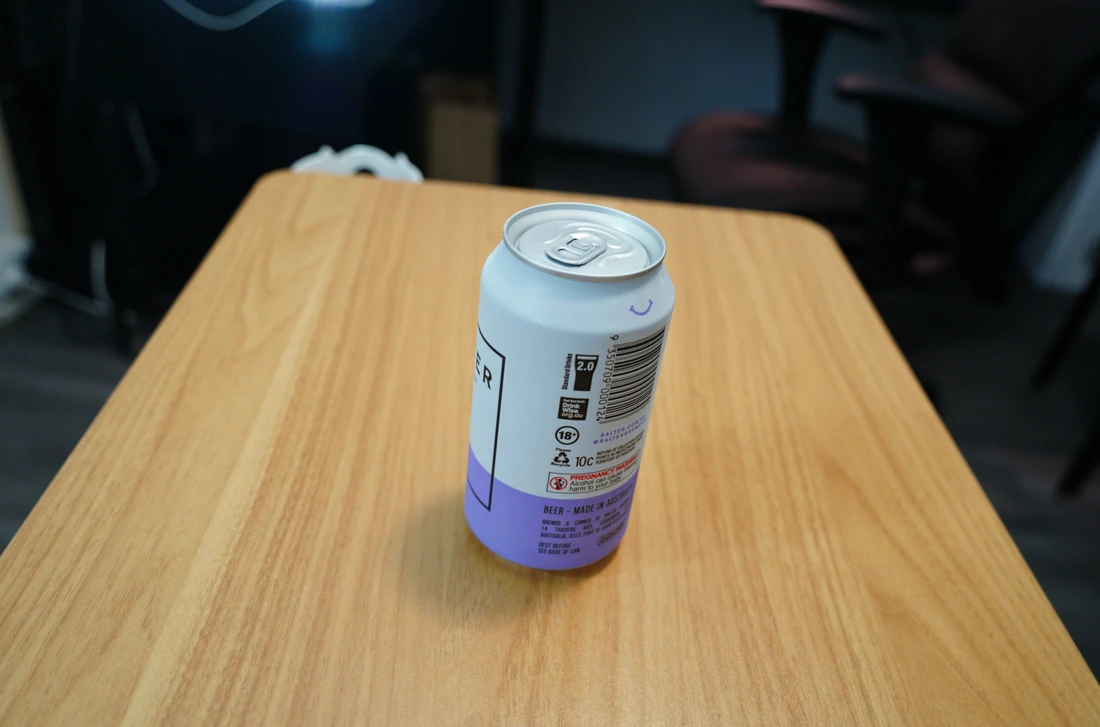
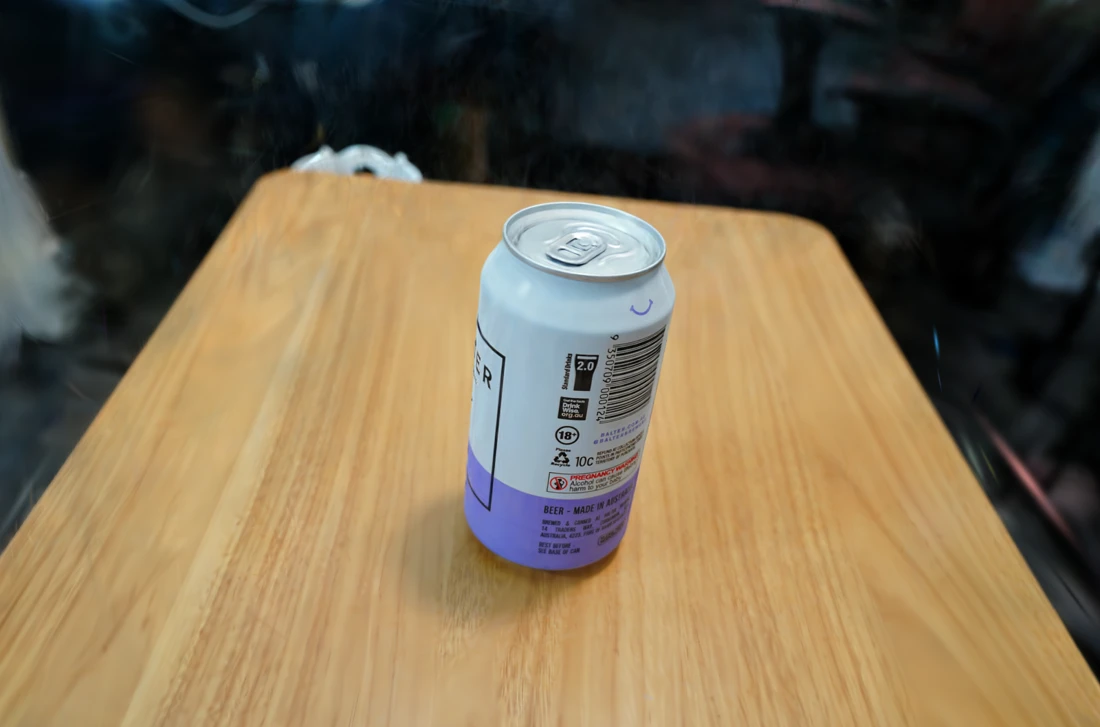
Can · Visit 1 of 4 · recovered after the final update
THE MULTI-STATE DATASET
Synthetic Multi-State
Four synthetic scenes cover folding, soft deformation, articulated motion and moving leaves. Each video completes an orbit before switching to the next observed state.
Folding and reopening
Bending, twisting and compression
Branch and leaf motion
Articulation and payload transport
Real Multi-State
Four real objects show deformation, articulation, material removal and changes in object configuration. Each video shows the captured object at distinct visits.
Tissue extraction and packet changes
Progressive material removal
Opening and crushing
Changes to the gimbal and its cover
MAIN RESULTS
Results from the main paper across real and synthetic Multi-State, WAT and ChronoScene.
| Method | PSNR ↑ | SSIM ↑ | Storage ↓ |
|---|---|---|---|
| CL-Splats | 21.03 | 0.826 | 91.2 |
| Seq. ChronoGS (arrival) | 24.92 | 0.863 | 108.6 |
| Seq. ChronoGS (recall) | 18.90 | 0.774 | |
| Seq. LTGS | 21.87 | 0.844 | 304.7 |
| Seq. 3DGS | 24.02 | 0.861 | 410.5 |
| Ours | 25.40 | 0.873 | 163.6 |
| Method | PSNR ↑ | SSIM ↑ | Storage ↓ |
|---|---|---|---|
| CL-Splats | 29.34 | 0.942 | 220.5 |
| Seq. ChronoGS (arrival) | 32.07 | 0.954 | 108.7 |
| Seq. ChronoGS (recall) | 25.81 | 0.907 | |
| Seq. LTGS | 28.81 | 0.938 | 995.0 |
| Seq. 3DGS | 33.24 | 0.956 | 1673.3 |
| Ours | 32.71 | 0.958 | 352.2 |
| Method | PSNR ↑ | SSIM ↑ | Storage ↓ |
|---|---|---|---|
| CL-Splats | 18.10 | 0.731 | 174.7 |
| Seq. ChronoGS (arrival) | 27.42 | 0.891 | 368.0 |
| Seq. ChronoGS (recall) | 18.75 | 0.726 | |
| Seq. LTGS | 23.24 | 0.834 | 873.2 |
| Seq. 3DGS | 25.67 | 0.863 | 1816.1 |
| Ours | 25.59 | 0.861 | 375.3 |
| Method | PSNR ↑ | SSIM ↑ | Storage ↓ |
|---|---|---|---|
| CL-Splats | 18.74 | 0.605 | 1581.5 |
| Seq. ChronoGS (arrival) | 20.69 | 0.613 | 706.7 |
| Seq. ChronoGS (recall) | 16.53 | 0.467 | |
| Seq. LTGS | 19.41 | 0.617 | 5664.1 |
| Seq. 3DGS | 19.57 | 0.577 | 9618.7 |
| Ours | 21.09 | 0.642 | 2387.4 |
SELECTED COMPARISONS
After the last update, each method reconstructs the earlier visits. The camera moves within each state, and cuts separate the observed visits.
The tissue box changes between visits. ReScene recovers its earlier reconstructions after the final update.
The cloth folds and reopens across ten observed states. ReScene reconstructs each state without estimating the motion between visits.
THE METHOD
ReScene reconstructs a changing scene from sparse images collected at successive visits. It attributes image disagreement to individual Gaussians, updates the current reconstruction and stores each visit as an immutable update.
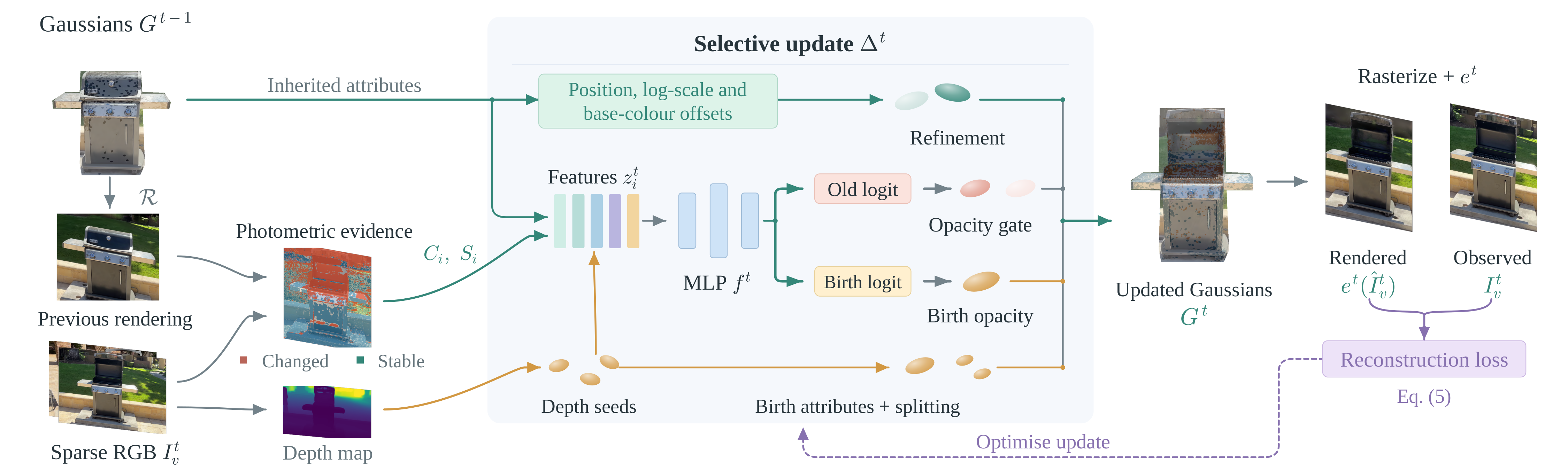
Compare the previous reconstruction with the new images. Accumulate change and stability evidence using each Gaussian’s contribution to the rendered pixels. Estimated depth supports surface placement and refinement.
Reduce the opacity of outdated Gaussians, refine selected positions, scales and colours, and add Gaussians for missing surfaces. Optimise these updates together using the current images.
Store the updated attributes alongside the initial model. Recover an earlier visit by applying its sequence of updates. Later updates leave that stored reconstruction unchanged, including any errors it contains.